


Words More -Ultimate Crossword
4.8489.00 Reviews
App Specs
- Version
- 1.5.1
- Updated On
- License
- Free
- Downloads
- 500,000+
- Developer
- Joy Vendor
- Categories
- Word
- Platform
- Android, iOS
Screenshots
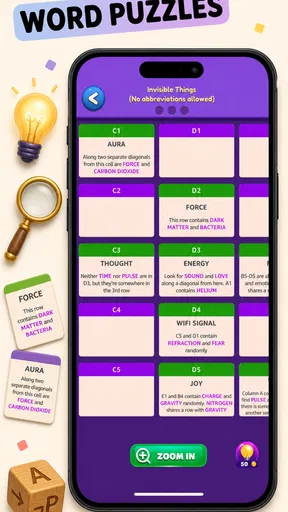
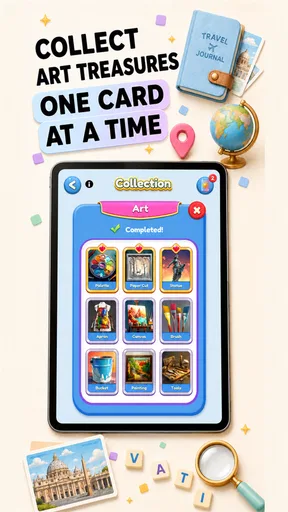
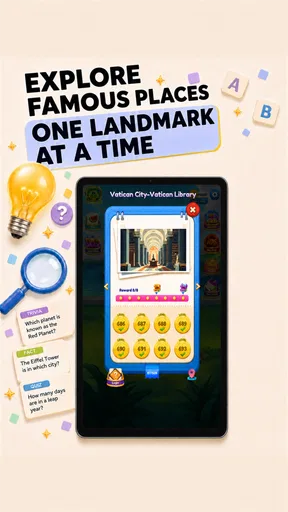
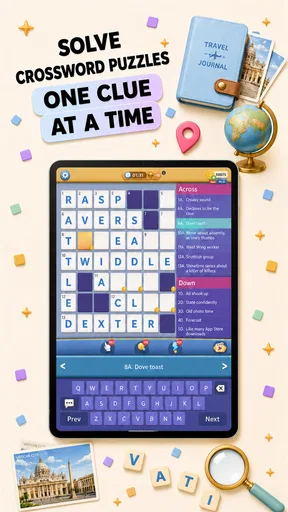
 Analysis by AppCompare
I approach a new crossword game with one simple question: can I open it during a spare moment and understand what to do without turning that moment into a setup project? Words More - Ultimate Crossword is a word game from Joy Vendor, and its appeal is easy to grasp: it gives crossword fans a way to spend a short break thinking through clues and possible answers. I would start with modest expectations, though. The game’s name suggests a broad collection, but what matters in practice is whether its puzzles suit your taste and whether its pace feels comfortable.
It is free to download, rated for Everyone, and has a 4.8 average from around 7,800 ratings, with over 500,000 installs. Those figures suggest that many players have found it worth trying, but they do not tell you whether its particular style will click for you. I’d treat it as an accessible option to sample rather than assume that a high average rating guarantees a perfect fit.
Getting Started with Words More
When I first opened the app, I was greeted with a sleek and user-friendly interface. Navigating through the menus felt intuitive, and I loved how everything was laid out. It didn't take me long to dive right into the first puzzle. The app offers a variety of difficulty levels, which is perfect for both beginners and seasoned crossword aficionados.
Setting up my profile was a breeze, and it didn't require a lengthy registration process. I appreciated this because I was eager to jump straight into the action without any unnecessary delays.
Finding a Comfortable First Puzzle
For a first-time player, I recommend choosing a puzzle that feels inviting rather than immediately reaching for the toughest challenge. That gives you room to learn the clue style and the way the board responds to your answers without making every uncertain word feel like a setback. If a clue seems unfamiliar, take a moment to consider its wording and the letters you already have before using help. The first satisfying success is often a crossing word that turns a vague guess into a clear answer.
A useful routine is to scan for clues you can answer confidently, fill those in, and then return to the harder ones with more letters available. This is a practical way to make progress without treating the puzzle like a test of speed. It also helps a new player decide whether the game’s level of challenge feels relaxing, stimulating, or simply too demanding.
Puzzle Variety and Challenges
Words More - Ultimate Crossword offers a wide range of puzzles that kept me engaged for hours. From classic crosswords to more creative variations, there’s something here for everyone. I found myself constantly switching between different types of puzzles, which kept things fresh and exciting.
Worth Reading Before You Choose

EA SPORTS FC Mobile 26 Is a Bigger Football Game, but It Takes Time

Flipboard Shows What News Apps Must Do Beyond the Feed

Switching to Android Auto Means Rethinking Your Driving Routine

Google Calendar Makes a Crowded Week Easier to Manage

Ludo King Makes the Most of the Minutes Between Plans

Baby Panda World Brings Quick Play to Modern Phones, but Its Game Library Feels Busy
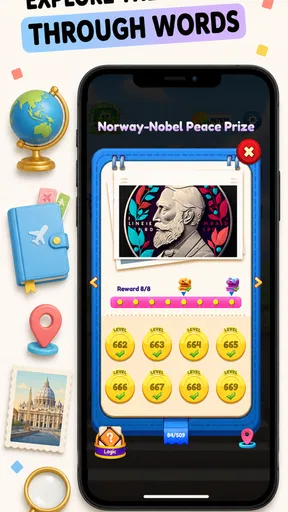
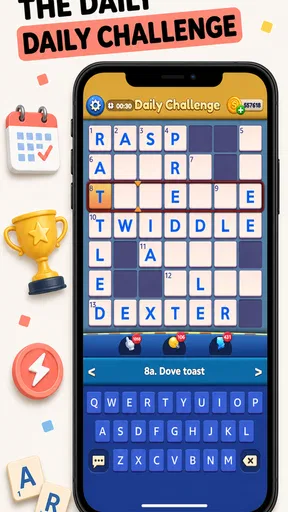
One of my favorite features is the daily challenges. These puzzles provide a fun way to test my skills every day, and the rewards system keeps me motivated. The app also includes themed puzzles, which are a nice touch, especially when I’m in the mood for something specific like a movie-themed puzzle or a historical one.
Features and Functionality
The app is packed with features that enhance the overall experience. The hint system is a lifesaver when I’m stuck, and I appreciate that it doesn’t completely give away the answer but rather nudges me in the right direction. There’s also a handy "check" feature that lets me verify if my answers are correct without spoiling the whole puzzle.
I also noticed that the app supports offline mode. This is a game-changer for me, as I love solving puzzles on the go, especially during my daily commute. Plus, the app syncs seamlessly across devices, so I can pick up right where I left off, whether I'm on my phone or tablet.
Making Hints Work for You
Hints and answer checks are most useful when I use them selectively. If I check after every entry, I lose the chance to notice which clues I understand and which ones keep tripping me up. Instead, I like to fill the easy answers first, make a thoughtful attempt at the rest, and use a hint only when one blocked clue is stopping progress across the board. That keeps help from becoming a shortcut that empties the puzzle of its satisfaction.
There is a small trade-off here: a check can reduce uncertainty, but it can also interrupt the rhythm if I tap it too quickly. I find it better to reread the clue and inspect the crossing letters before checking. If the answer still does not make sense, a hint is more useful as a nudge than as a substitute for solving. This approach is especially helpful for casual players who want the puzzle to stay relaxing rather than become a string of guesses.
Community and Connectivity
Another aspect of the app that I really enjoy is the community features. I can connect with friends and see how I stack up against them on the leaderboards. It's always fun to have a bit of friendly competition, and it adds an extra layer of motivation to improve my skills.
There's also a chat feature where I can exchange tips and strategies with other players. This has been incredibly helpful, especially when I come across particularly tricky puzzles. The community is active and supportive, which makes the app even more enjoyable.
Playing Around a Busy Day
The game is easiest to recommend to someone who likes fitting word puzzles into small gaps: a quiet coffee break, a wait before an appointment, or a few minutes at home before moving on to the next task. A realistic way to use it is to open one puzzle, solve the clues that come readily, and leave the stubborn entries for another pause. That turns a crossword into a flexible break rather than an obligation to finish everything in one sitting.
Offline play can make that routine more convenient when a connection is unavailable, while the reported device syncing is useful for a player who alternates between a phone and a tablet. I would still avoid assuming that every play session will transfer exactly as expected without checking how the game behaves on your own devices. If you mainly play on one phone, that feature may not matter much; if you switch screens often, it could be a meaningful convenience.
How It Fits Beside Other Word Games
Compared with a paper crossword, a phone game is easier to carry and can offer help when a clue stalls your progress. The hint and check tools make this a friendlier choice for someone learning to solve, although they can also make it easier to lean on assistance instead of wrestling with a clue. A printed puzzle is better for anyone who prefers working without prompts or wants the tactile feel of writing answers by hand.
Compared with word-search games or quick anagram apps, a crossword asks for more interpretation: you have to connect clue meaning with the letters that intersect. That makes it more rewarding when the answer clicks, but less suitable if you only want a fast, low-effort distraction. The daily challenges and themed puzzles offer reasons to return, while someone seeking a deep competitive word game may prefer an alternative built primarily around head-to-head play.
Spending Carefully and Choosing the Right Fit
The game is free, but it includes in-app purchases ranging from $0.99 to $99.99 per item. I would try the free experience first and decide whether I enjoy the puzzle style before considering any purchase. If you are sharing a device or letting a younger player use it, keep the purchase controls in mind; the Everyone age rating makes it broadly suitable, but it does not mean every optional purchase is necessary for enjoying the game.
This is a good fit for crossword fans who want varied puzzles, a gentle way to build confidence, or a convenient game for short breaks. It is less compelling for someone who dislikes clue-based wordplay, wants a strictly offline paper-like experience without digital aids, or is looking for a story-driven game with a sense of progression beyond puzzles. I would also skip it if you know that leaderboards and daily goals make a hobby feel like a chore rather than a pleasure.
Design and Aesthetics
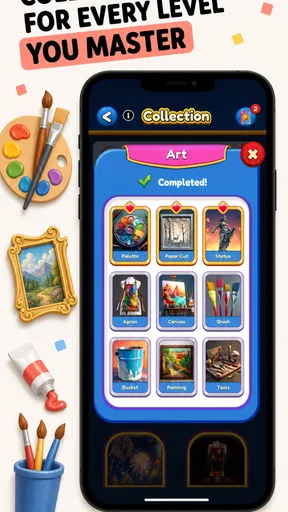
The design of the app is both elegant and functional. The colors are easy on the eyes, and the layout is clean without any unnecessary clutter. I find that the visual aspect of the app really enhances the experience, making it a pleasure to use for extended periods.
Moreover, the app is pretty light on resources, so it runs smoothly even on older devices. It’s clear that a lot of thought went into the design, ensuring that it’s both aesthetically pleasing and highly functional.
What to Keep in Mind as You Continue
Once the first puzzle feels familiar, I would try different puzzle types rather than settling into the same routine immediately. Switching formats can reveal whether you enjoy the game’s variety or mainly prefer standard crosswords. The themed puzzles are also a useful way to choose a session based on your interests, though a theme should be treated as a change of subject matter, not a promise that every clue will be easy.
The game is free to start, and the current version is 1.3.16, with Android support beginning at version 7.0. I would check that your device meets that requirement before installing. Joy Vendor is the developer, and the game was released on February 10, 2023. These details are most useful as practical context: compatibility matters before download, while the version tells you which release you are considering, not whether the puzzle style itself will suit you.
Final Thoughts
Overall, Words More - Ultimate Crossword has become one of my go-to apps for unwinding and keeping my brain sharp. It offers a perfect blend of challenge and entertainment, and I love how it caters to both casual players and hardcore puzzle enthusiasts alike.
If you're looking for an app that offers endless hours of fun and a good mental workout, I highly recommend giving this one a try. Whether you’re waiting for a friend at a café or just chilling at home, this app is the perfect companion for any word lover.
Ready to test your word skills? You can download the app from the links provided on our site and start your crossword adventure today!
Pros
- Challenging puzzles enhance vocabulary.
- Intuitive interface for easy navigation.
- Daily rewards keep users engaged.
- Offline mode for uninterrupted play.
- Hints available for difficult words.
Cons
- Ads can be intrusive during gameplay.
- Limited themes for customization.
- Occasional bugs freeze the app.
- Requires internet for updates.
- Some puzzles repeat frequently.
FAQs for Words More -Ultimate Crossword
What is Words More - Ultimate Crossword, and how does it work?
Words More - Ultimate Crossword is a puzzle game designed to challenge your vocabulary and problem-solving skills. Players are tasked with filling in crossword grids using the given letters to form valid words. The game offers various levels of difficulty, making it suitable for both beginners and seasoned crossword enthusiasts.
Is Words More - Ultimate Crossword available on both Android and iOS?
Yes, Words More - Ultimate Crossword is available for download on both Android and iOS platforms. You can find it on the Google Play Store for Android devices and the Apple App Store for iOS devices. Simply search for the game by name to download and install it.
Are there any in-app purchases or ads in Words More - Ultimate Crossword?
Words More - Ultimate Crossword is free to download and play, but it includes optional in-app purchases. These purchases can enhance your gameplay experience by offering additional hints or removing ads. While ads are present in the free version, purchasing an ad-free experience is an option for uninterrupted play.
What features make Words More - Ultimate Crossword stand out from other crossword games?
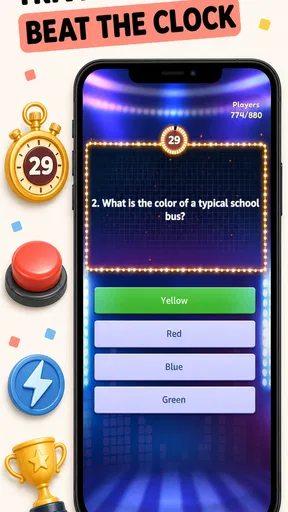
Words More - Ultimate Crossword offers unique features such as daily puzzles, themed crosswords, and multiplayer challenges. Its user-friendly interface and visually appealing design enhance the gaming experience. Additionally, the game regularly updates with new puzzles, ensuring a fresh and engaging experience for players.
Can I play Words More - Ultimate Crossword offline?
Yes, Words More - Ultimate Crossword can be played offline, allowing you to enjoy the game anytime, anywhere without needing an internet connection. This feature is particularly useful for long commutes or when you’re in areas with limited connectivity, ensuring you can always enjoy a game of crossword.


